
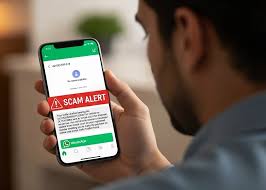
India’s digital space is facing another wave of cyber fraud — this time involving a fake “RTO E-Challan” APK file being circulated on WhatsApp. The scam disguises itself as an official message from the Regional Transport Office (RTO) or “MParivahan,” tricking users into installing malware that can steal data and even get their WhatsApp accounts banned.

According to reports, users are receiving the malicious APK file — Android’s app installation format — from contacts they know, making it appear trustworthy. The file carries names like “RTO E-Challan” or “MParivahan” to look authentic. However, clicking and installing it allows hackers to access personal data, alter phone settings, and automatically forward the infected file to all contacts.

Victims have reported losing control of their devices and facing WhatsApp suspensions after interacting with the file.
How the Scam Works
Once the fake APK is installed, it can:
- Extract sensitive information from the device
- Modify settings to spread itself further
- Send the same file to contacts automatically
- Compromise WhatsApp accounts and trigger bans
The scam preys on users’ trust — messages often come from familiar contacts, increasing the likelihood of clicks.
How to Stay Safe
- Never download APK files sent via WhatsApp or SMS, even from known contacts.
- Remember: No government body, including the RTO, sends app files through WhatsApp.
- Delete suspicious messages immediately and avoid forwarding them.
- If you’ve already clicked the file:
- Disconnect from the internet
- Run a full antivirus scan
- Uninstall the malicious app via phone settings
- Change passwords for key accounts (email, banking, social media)
Cyber experts warn that such scams are becoming more frequent as digital reliance grows. Users are advised to remain alert, verify all links or attachments, and keep their device security software updated.
👉 Click here to read the latest Gujarat news on TheLiveAhmedabad.com